What Recruiters Notice in Your LinkedIn Photo First
Published July 12, 2026 • 5 min read
By PhotoExpert.ai Editorial Team • Last updated: July 12, 2026
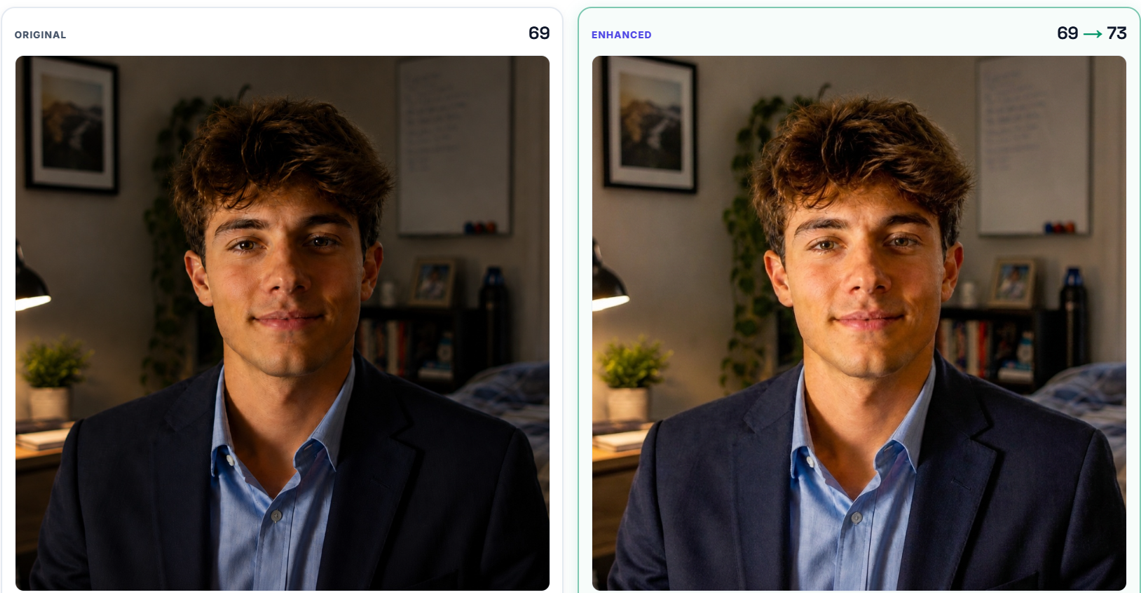
“I never realized my profile photo was the problem,” a candidate told her recruiter, after finally updating a LinkedIn photo she'd been putting off for two years.
It's one of the most common things recruiters hear. Most people spend hours polishing their headline, rewriting their summary, adding new skills to the list. The one thing every recruiter actually sees first gets almost none of that attention — your photo.
Before anyone reads your experience or your education, they see your face. Not because they're trying to size you up. It's just how brains work; we notice faces before we process words, every time, without meaning to. The reassuring part is that recruiters usually aren't judging you in that moment. They're reacting to the photo. Those are two very different things, even though it rarely feels that way.
What's Actually Going Through Their Head
You'd think the question in a recruiter's mind is something like “does this person look professional?” It's simpler than that. Can I see this person's face clearly? Is it bright enough? Is anything pulling my attention away from them? Does this feel current? None of that is about how attractive someone is — it's entirely about how well the photo represents the person behind it, which is a much easier problem to fix than people assume.
The Shadow You've Stopped Noticing
Look at a photo of yourself often enough and you stop seeing what's actually wrong with it. A shadow across one side of your face, a busy café in the background, a shot that's just a touch too dark — none of it seems like much on its own, but together it quietly undercuts the first impression. A recruiter won't consciously think “the lighting here is poor.” They'll just feel the photo is a little less polished than the ones around it, without being able to say exactly why. That's really how first impressions work — as a feeling, not a checklist.
The Mistake Almost Everyone Makes When Choosing a Photo
The usual move is asking a friend, “which one looks better?” The trouble is that five friends give you five different answers. One likes the outdoor shot, another prefers the serious expression, someone else votes for the casual selfie — everyone has an opinion, and almost nobody can tell you why one photo actually performs better than another. Opinion isn't the same thing as an answer.
One Photo Doesn't Work Everywhere
Here's the part that tends to surprise people: the exact same photo can perform completely differently depending on where you put it. A relaxed outdoor selfie might be perfect for Instagram and slightly too casual for LinkedIn. A dating profile rewards warmth and personality; LinkedIn tends to reward cleaner framing and better lighting. It's still you in both photos — but different platforms carry different expectations, and pretending one photo should work everywhere is where a lot of people go wrong.

Most of This Is Fixable, and It's Rarely About You
When a LinkedIn photo isn't landing, it's usually not the person's fault — it's the photo's. The lighting's too dark, the crop cuts awkwardly, the background competes for attention, the eyes are hard to see. None of that requires changing how you look. It just requires a better version of the photo you already have.
A quick way to check: open your current LinkedIn photo and look at it for three seconds. Is your face the first thing you notice? Can you clearly see your eyes? Is the lighting helping or working against you? Is anything in the frame distracting? Would you confidently use this photo if you were the one hiring? If you hesitate on more than one of those, there's probably real room to improve it.
Where PhotoExpert.ai Actually Helps
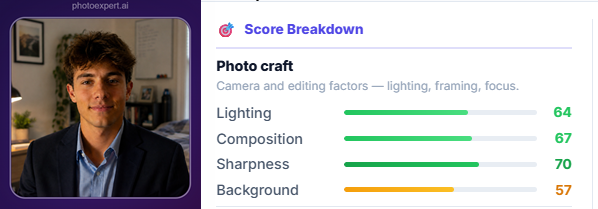
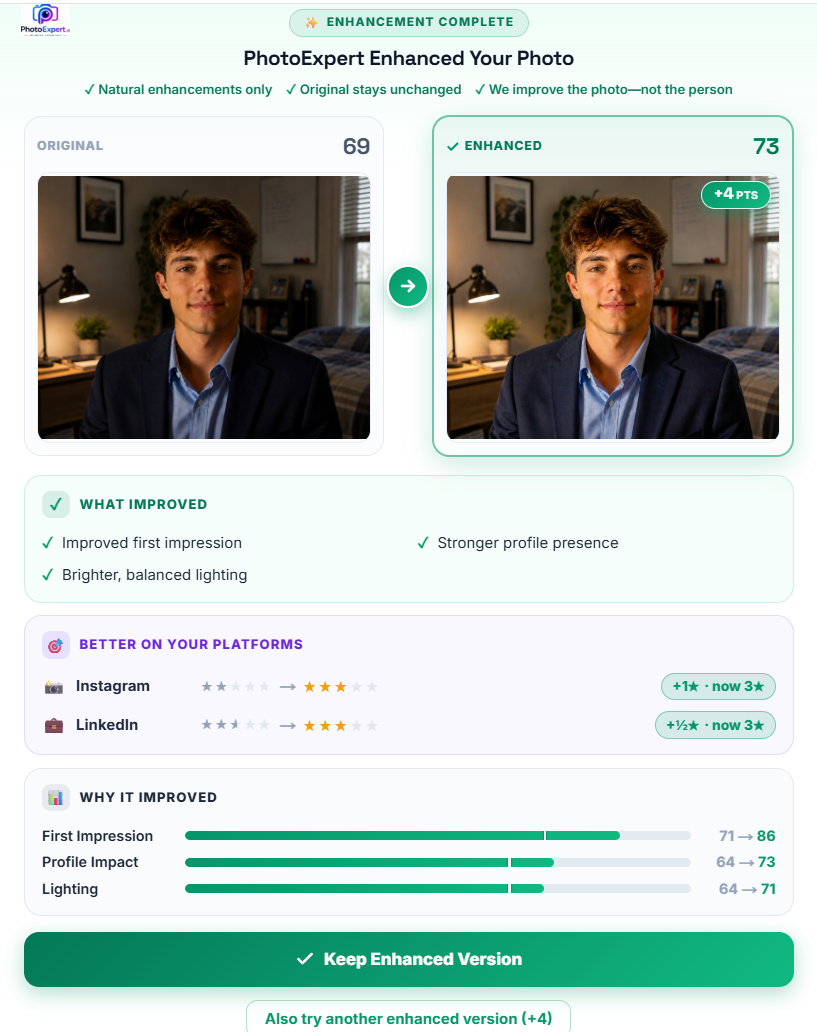
Most photo tools start by changing your picture. PhotoExpert.ai starts by explaining why your photo creates the impression it does — reviewing things like lighting, composition, sharpness, background, and eye contact, and showing you what's working and what's holding the shot back. Importantly, it's evaluating the photo, not you. If enhancement makes sense, the changes stay natural — no unrealistic filters, nothing about your face gets altered. Just a clearer version of the same photo.
One Last Thought
Your LinkedIn profile tells recruiters what you've accomplished. Your photo introduces who they're about to read about. Those first two seconds matter, not because anyone's judging your appearance, but because they're deciding whether the photo helps tell your professional story or quietly gets in its way.
You don't need a different face. You don't need expensive photography. You just need a photo that actually represents you well — and that's usually a much smaller fix than people expect.
Curious how your current LinkedIn photo is performing?
Upload it to PhotoExpert.ai and in under a minute you'll get a full review, natural enhancement suggestions, and a clearer sense of what recruiters are noticing first, before you even realize it.
In one real example, a simple lighting and clarity fix moved a photo's LinkedIn fit from 1 star to 3 — without changing anything about the person in it.
Check your photo now →Sometimes the biggest career move isn't changing yourself. It's changing the photo that introduces you.